Drilling Cycle Menu
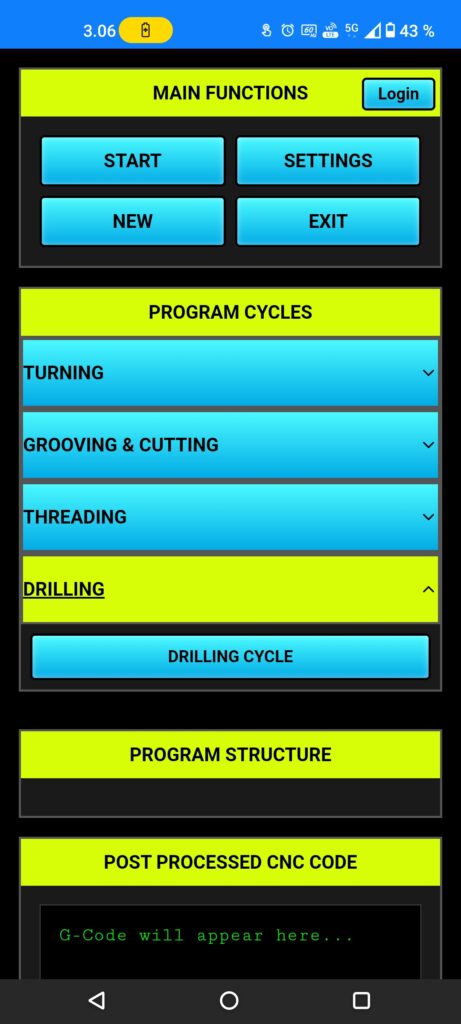
Push the (drilling) button to open turning cycle menu, now it show (drilling cycle), choose the drilling cycle.
Drilling cycle
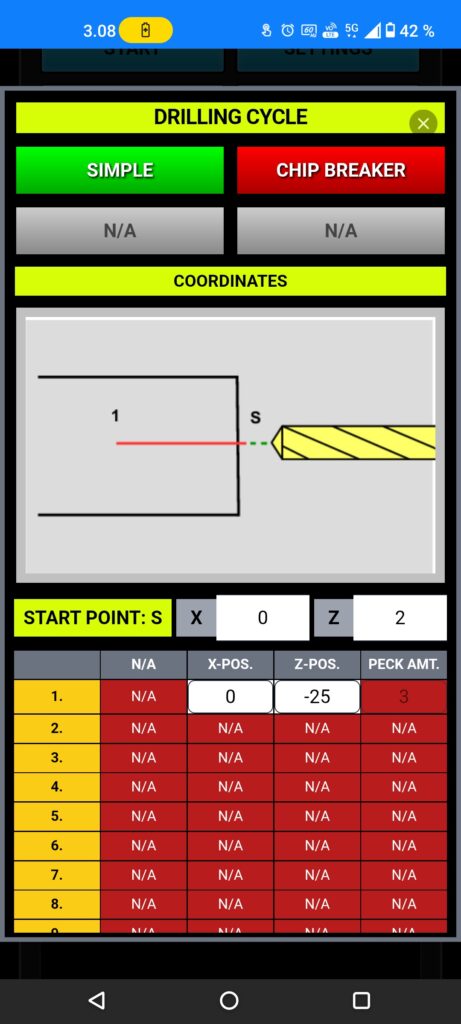
Onto top we have (simple) and (chip breaker) those are almost same, but (chip breaker) is only mean for HSS drills, because it’s including (peck) function.
next (starting point s:) you need to set your thread starting (Z) point, after that go to the line 1. there you need to set drill final point (Z-).
Drilling tools can’t set (X), because spindle moving, that is why (X) must be always (0.)
Tools
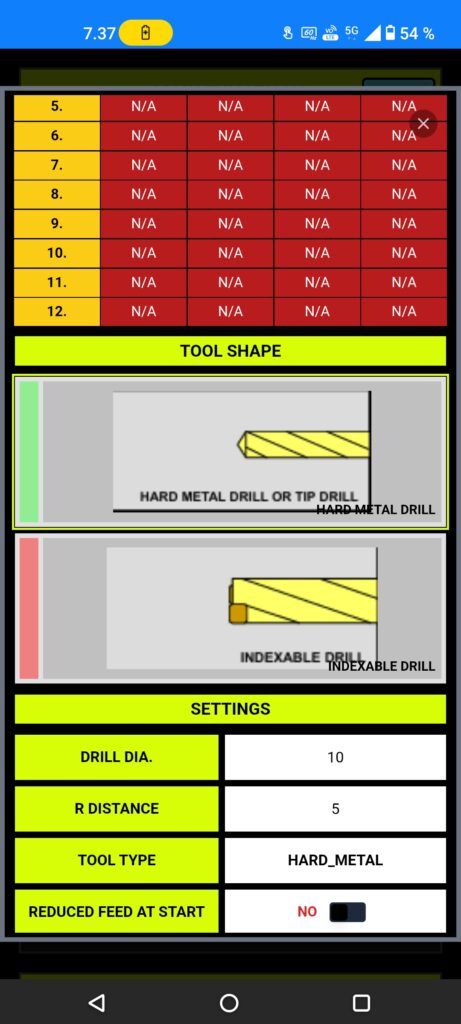
Next choose a right tool, then App can calculate the cutting depth and optimized feed.
If you don’t choose the right tool, there is a risk to broke Drill.
Many operations for various materials are good use the basic Hard Metal Drills.
Settings
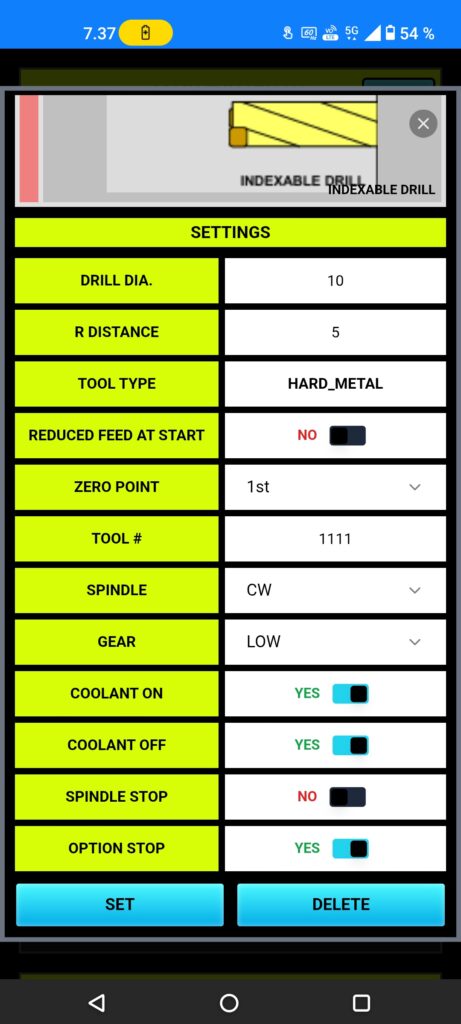
You must set (drill dia.) every time, because App need to know what is the real diameter of the drill.
Clearance between work piece and drill coming from post processing page (r distance), but you can fix that at any time.
Very useful setting (reducing feed at start) is recommended to use hard metal drills, because it helps drill to centering it self before starting drilling.
Setup tool number, matching your tool pocket and offset.
You can change the (zero point), otherwise it’s coming from post processor settings.
Spindle rotating direction (CW) mean in many cases (M03) and (CCW) mean (M04).
If your CNC machine have gear box, you can change the gear, default gear set coming from (post processor) page settings.
Rest of settings are good with default set, but you can change those setting to better matching your situation of machining.