Grooving & Cutting Cycle Menu
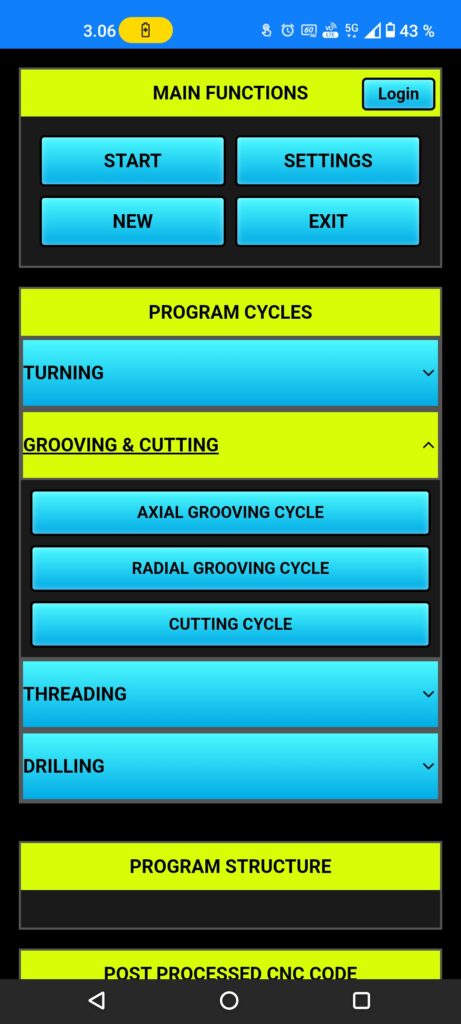
Push the (grooving & cutting) button to open turning cycle menu, now it show (axial grooving cycle), (radial grooving cycle), (cutting cycle), choose the cutting cycle.
Cutting Cycle
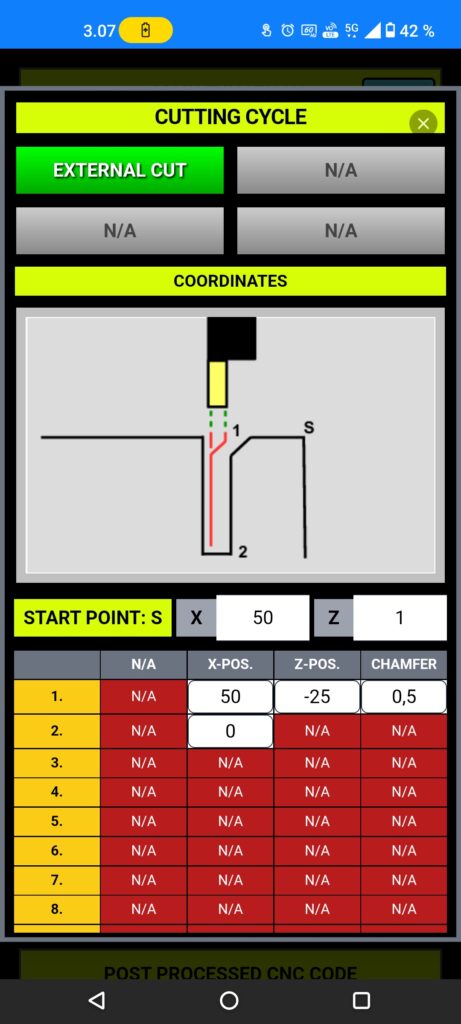
Onto top we have only (external) cutting cycle, external mean we start from outside of the work piece and moving to smaller diameter.
next (starting point s:) coming from blank dia. setups with clearance distance, after that line 1. coordinates are cutting point upper diameter (work piece diameter) and (Z-) distance, this mean how much you want cut from work piece, next chamfer size setting if you need, maximum chamfer size is half of cutting tool wide, also you can set (0.) meaning without chamfer.
Line 2. (X) is the cutting diameter end point, if you have a bar like work piece is recommended to set (X) to (0.), then App can calculate moves.
Tool insert style
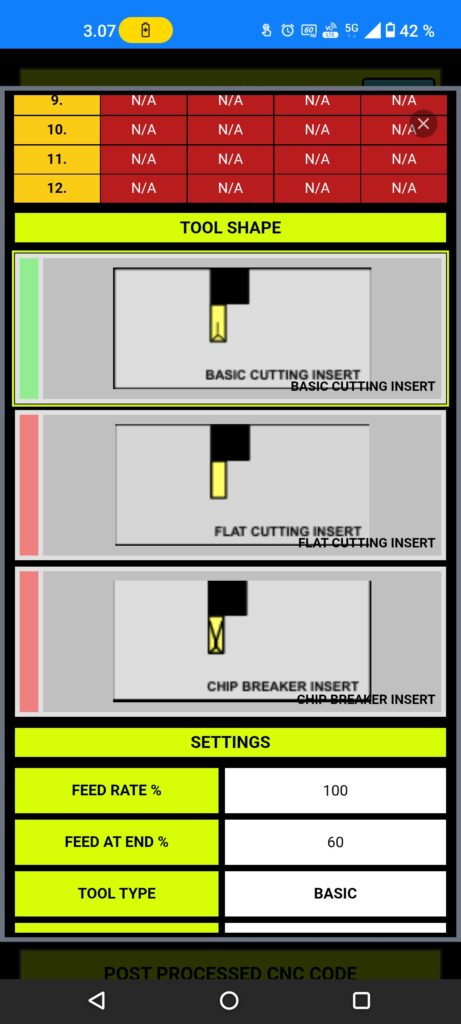
Choose your tool insert type, recommended to use basic or chip breaker inserts to get longer tool life.
If you have chip breaker insert on use, remember feed is faster and machine load is bigger, but chips coming out without (chip cut method) see settings section!
While flat insert style is only recommended to use small diameter work pieces (<20mm).
Settings
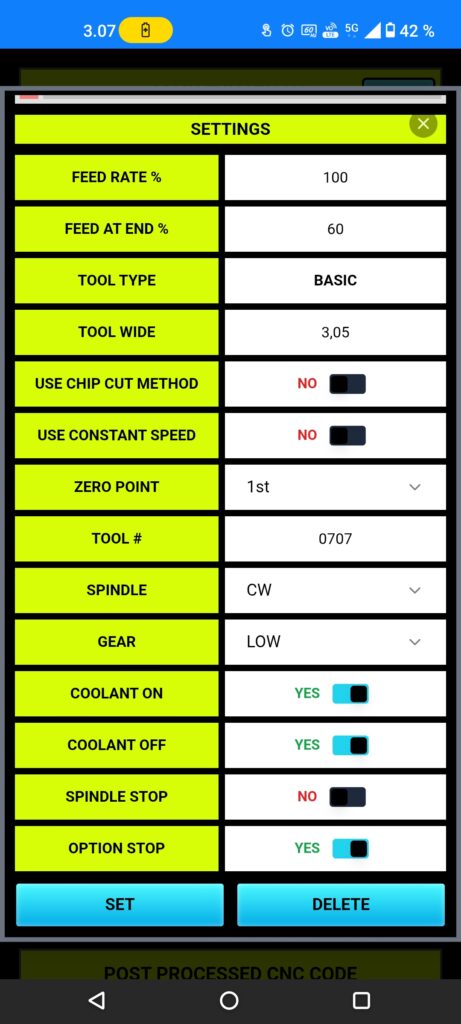
Settings (feed rate %) and (feed at end %) coming from material and tool insert info’s, but you can fix those in limits.
Setup your tool info’s, most important is set (tool wide), measure your tool wide and set it up.
When you use basic or flat insert is recommended to set (use chip cut method) to ON, is very useful in cases where chip don’t want to come out and some cases chips can broke the tool.
App using normally surface speed setting for turning, but user can set (constant speed) ON, this mean App calculate average speed for steady running without vibrating.
You can change the (zero point), otherwise it’s coming from post processor settings.
Spindle rotating direction (CW) mean in many cases (M03) and (CCW) mean (M04).
If your CNC machine have gear box, you can change the gear, default gear set coming from (post processor) page settings.
Rest of settings are good with default set, but you can change those setting to better matching your situation of machining.