Read this guide carefully step by step !
Main Page
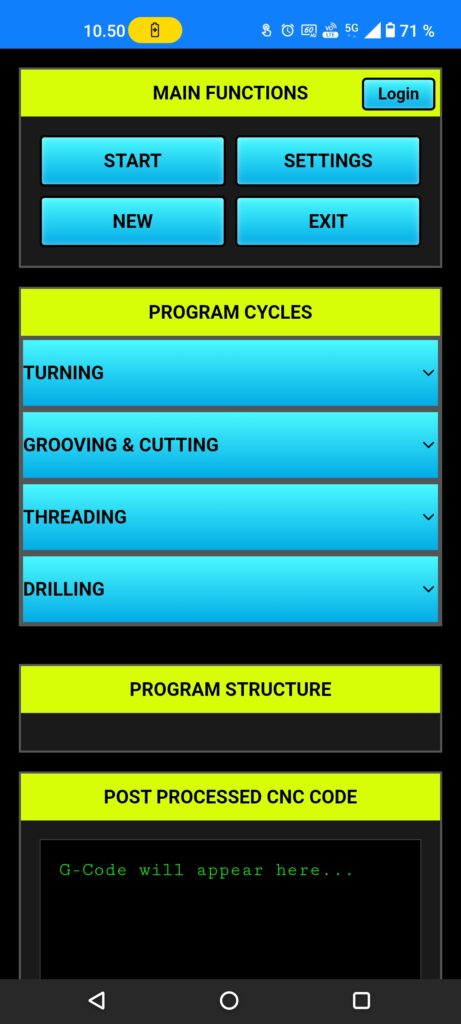
First push the Settings button, (post processor setting) page opening there you need to setup post processing for your lathe.
The New button is for clear all info’s from program structure, after that you can start new program.
Exit button is only for desktop users.
Post Processor Page
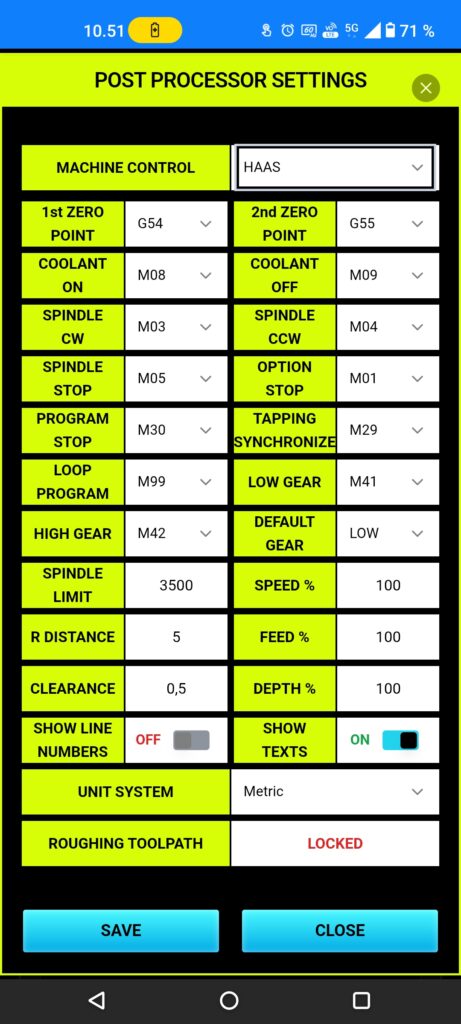
Machine control is most important setup, there you select your machine operating system, because you need a right code out.
Setup all other settings to matching you CNC lathe, be carefully with (spindle limits) do not never exceed your CNC machine spindle limits.
R distance mean what is the clearance between machined part and tool nose.
App is designed to metric system, but there is (unit system) select where user can change control to inches.
Setting page also have set for tool change position point (X and Z) coordinates, be carefully when you set those coordinates, test and check before setup those coordinates are correct.
When all is set you can push to SAVE button.