Turning Cycle Menu
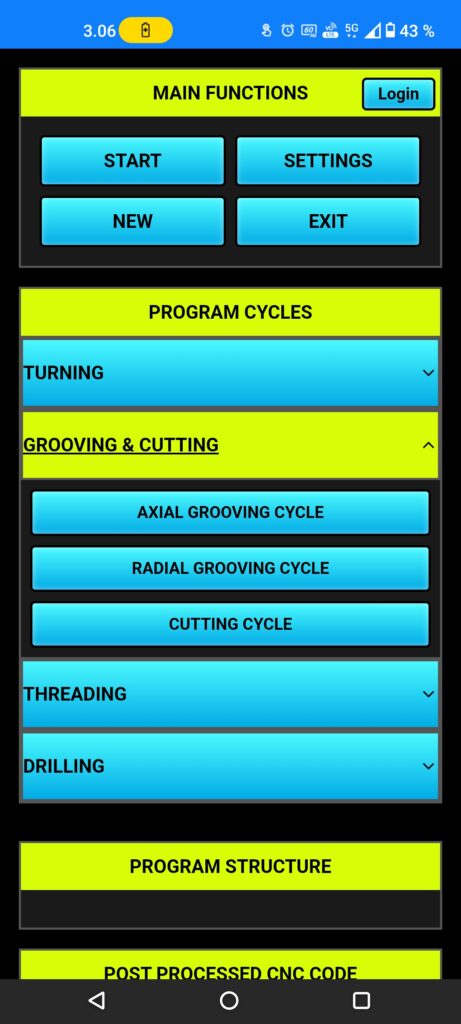
Push the (turning) button to open turning cycle menu, now it show (facing cycle), (axial roughing cycle), (radial roughing cycle), (finishing cycle), choose the facing cycle.
Facing Cycle
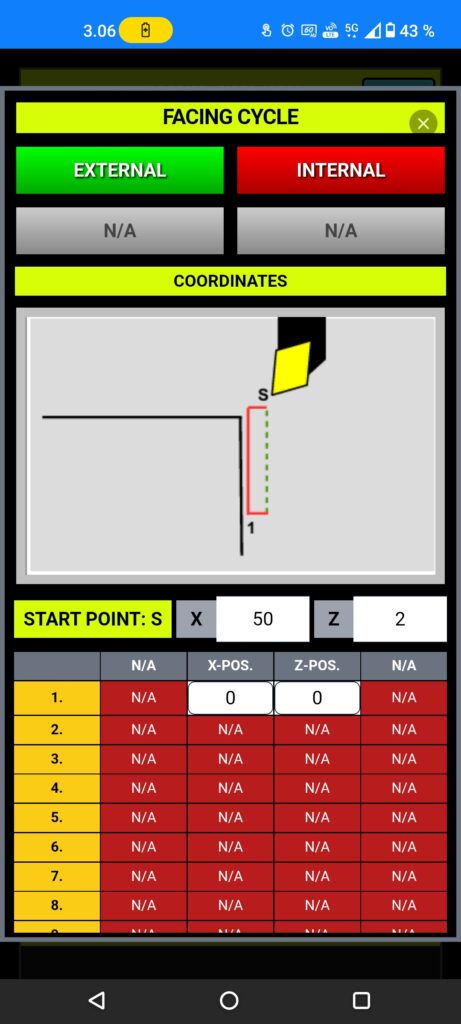
Onto top we have (external) and (internal) those mean which direction we want to move, external mean we start from outside of the work piece and moving to smaller diameter, while internal mean we start from small diameter and moving to bigger diameter.
next (starting point s:) coming from blank dia. setups, but you can modify those coordinates, after that line 1. coordinates are final point of facing moves, recommended to use (X0. and Z0.) then App can calculate safe moves and oversteps.
Tool Shape
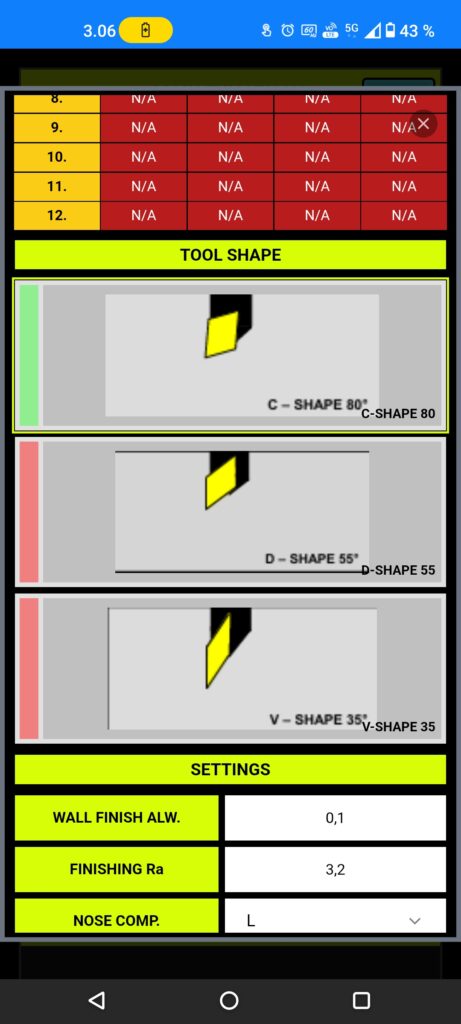
Next choose a right tool shape, then App can calculate the cutting depth and optimized feed.
If you don’t choose the right tool, there is a risk to broke tool or insert.
Settings
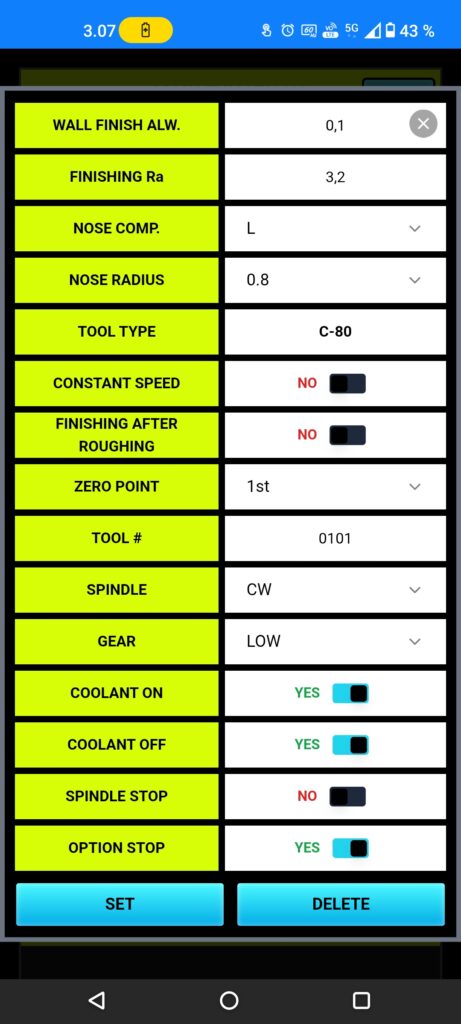
You need to set face finishing (Ra) for matching demanded surface finishing roughness.
In normal situation, never touch the (nose comp.) setting, because App using that info for create the CNC program and if that setting is set wrongly, there is risk of collision.
Tool nose radius setting and type, defaults are good choices for start your machining, but you can choose differently it’s depends on your demands.
Setup tool number, matching your tool pocket and offset.
App using normally surface speed setting for turning, but user can set (constant speed) ON, this mean App calculate average speed for steady running without vibrating.
Select (finishing after roughing) if you need to get best surface result and longer tool life.
You can change the (zero point), otherwise it’s coming from post processor settings.
Spindle rotating direction (CW) mean in many cases (M03) and (CCW) mean (M04).
If your CNC machine have gear box, you can change the gear, default gear set coming from (post processor) page settings.
Rest of settings are good with default set, but you can change those setting to better matching your situation of machining.